community channels
What Are Channels?
Coyote Channels are small communities inside Coyote Maps.
They let people share coyote sightings with the people who matter most—neighbors, families, runners, dog walkers.
You choose who can join.
You choose what gets shared.
You choose whether a sighting stays private or appears on the global map.
Simple.
Local.
On your terms.
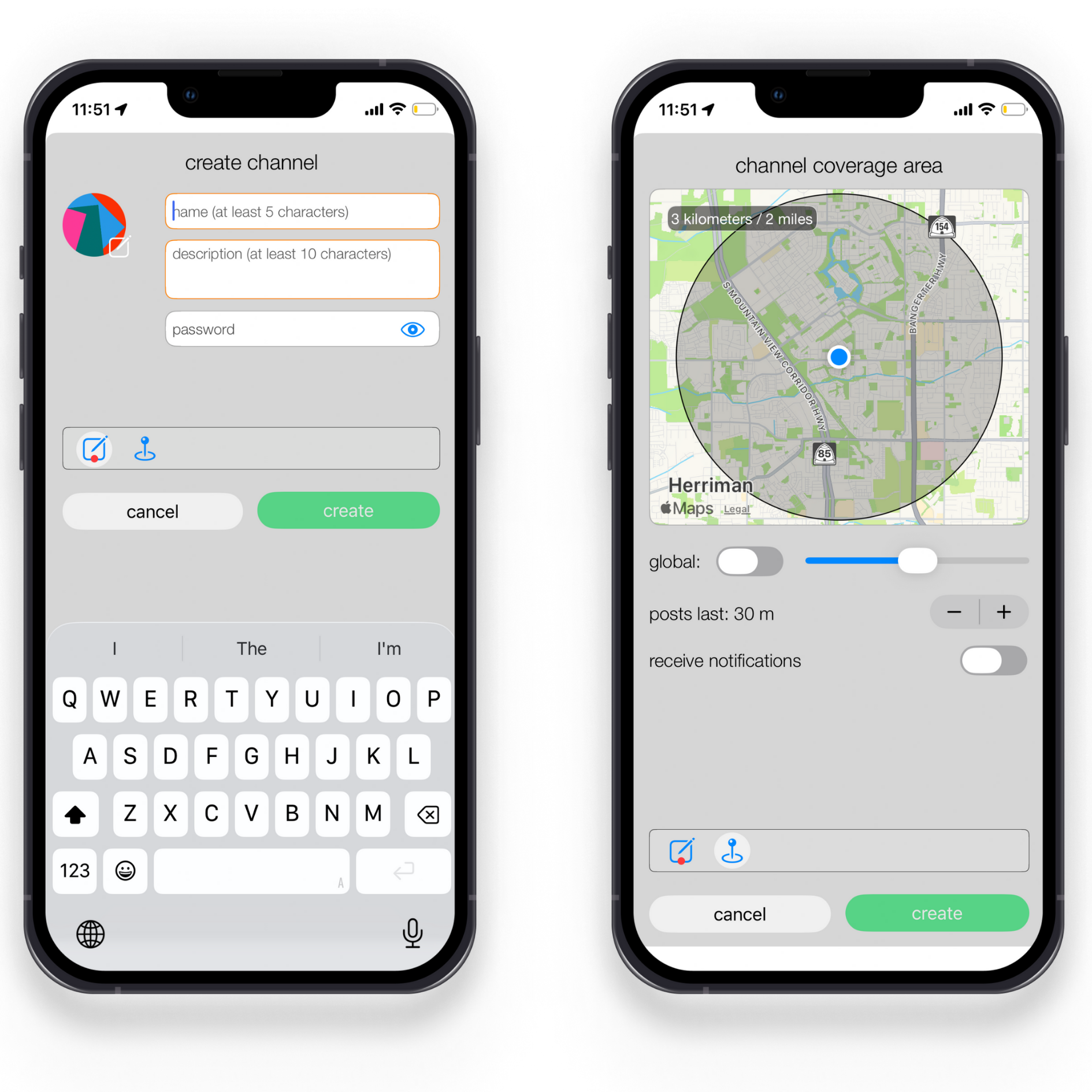
Create a Channel
Tap the (+)
Open Coyote Maps and tap channels, then the plus (+) button.Add channel details
Enter a name, description, and icon.
Optional: add a password to make the channel private.Set channel preferences
Choose:Your coverage area
How long posts stay visible
Whether you want to receive notifications from this channel
Tap Create
Your channel is live.
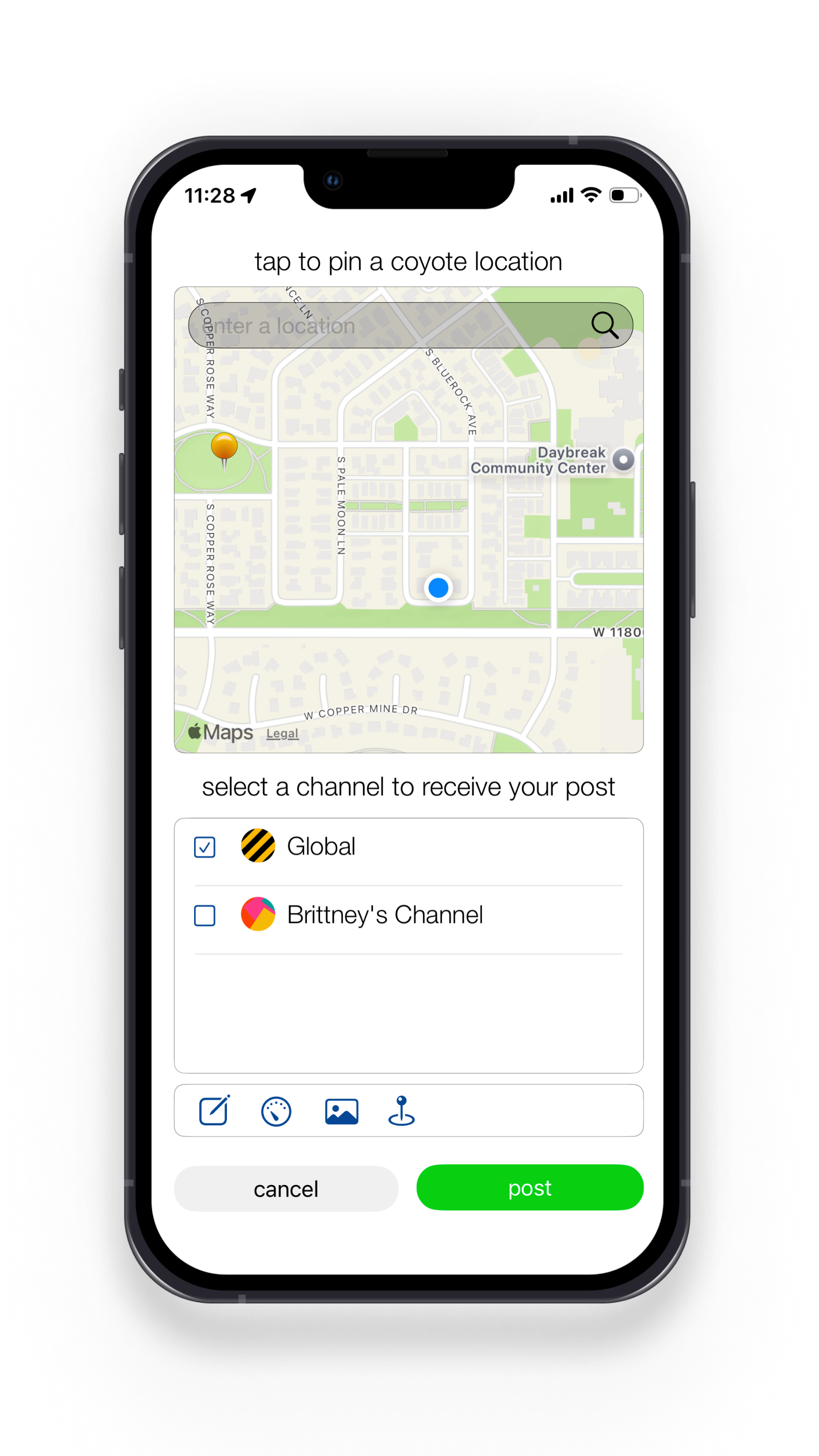
No setup needed
Your created and subscribed channels appear automatically when you post a coyote sighting.