report coyote sighting
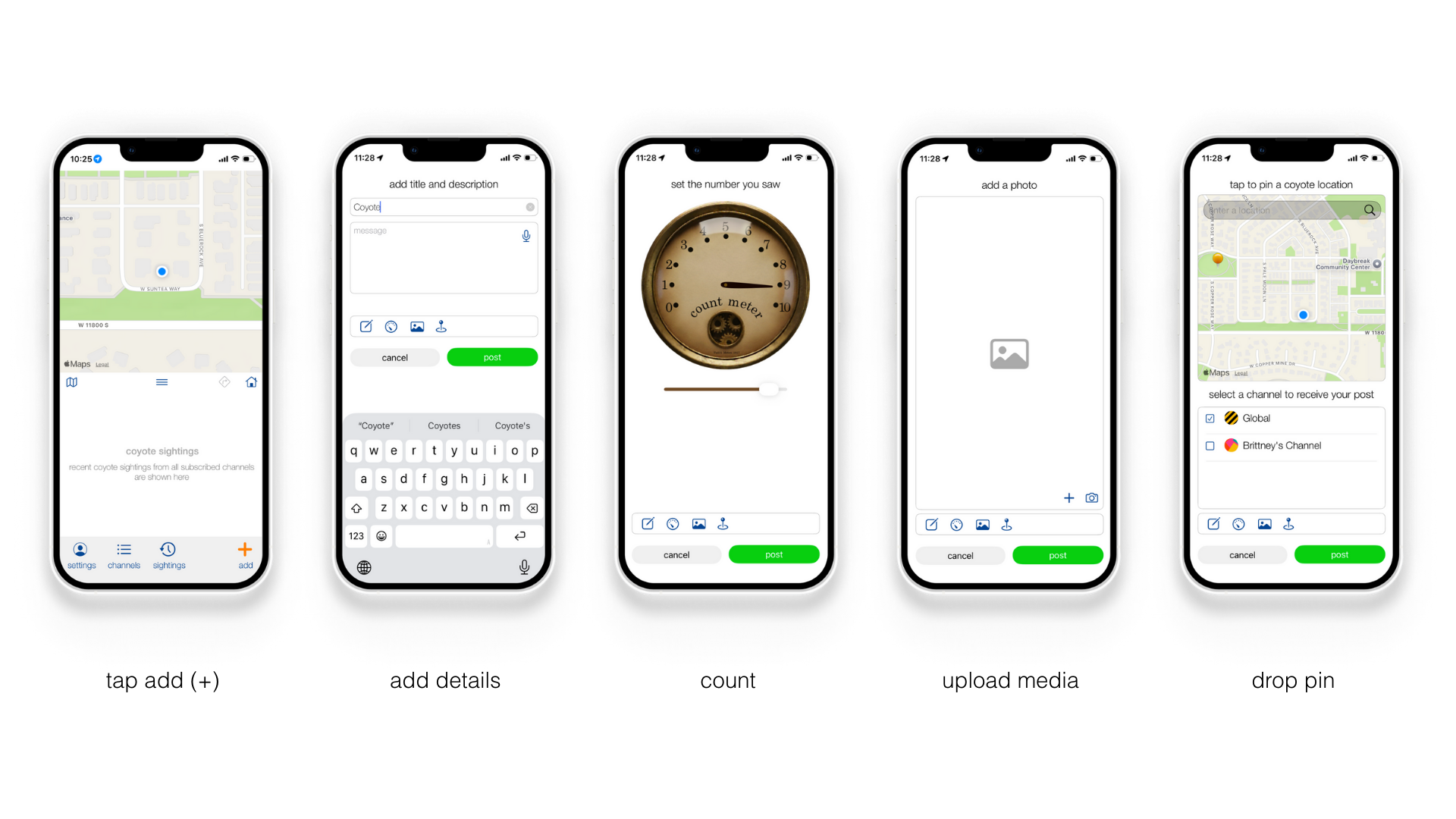
Step 1 Launch Coyote Maps
Open the Coyote Maps app to view nearby sightings and your current location on the map.
Step 2 Tap Add (+)
Tap the + button to start a new sighting report.
Step 3 Add Details
Add a short title and description describing what you saw. Include helpful context like nearby landmarks, direction of movement, or behavior so others know what to expect.
Step 4 Count
Select how many coyotes you saw. Even an estimate helps your community understand the level of activity in the area.
Step 5 Upload Media
Upload a photo or video if you have one. Only add media if it was captured safely and without approaching the animal.
Step 6 Drop a Pin
Mark the exact location of the sighting on the map so neighbors can see where it occurred.
Step 7 Post
Review your report, choose the appropriate channel, and tap Post to share the alert with your community.